 OpenAdapt
Show the task. Get a program.
Do a task once, or have your AI agent do it. OpenAdapt runs it as a program with no AI model and reads back every save.
- Run record
- 41 of 41 steps done
- 0 model calls
- 12 of 12 fields read back
- 41.4 s program time

Program00/41
- 01Open list
- 02Type TitleMs.
- 03Press Enter
- 04Click First name
- 05Select field
- 06Type First nameNadia
- 07Click Last Name
- 08Select field
- 09Type Last nameBrennan
- 10Click field
- 11Select field
- 12Type Date of birth1971-04-19
- 13Open list
- 14Type SexFemale
- 15Press Enter
- 16Click field
- 17Scroll down
- 18Click field
- 19Select field
- 20Type Street27 WILLOW BEND ROAD
- 21Click field
- 22Select field
- 23Type CityEXAMPLETON
- 24Open list
- 25Type StateMassachusetts
- 26Press Enter
- 27Click field
- 28Select field
- 29Type Postal code02139
- 30Click field
- 31Select field
- 32Type Home phone555-0121
- 33Click field
- 34Select field
- 35Type Emailnadia.brennan@example.invalid
- 36Open list
- 37Type CountryUSA
- 38Press Enter
- 39Scroll down
- 40Click Create New Patient
- 41Click Confirm Create New Patientsaves
0 model calls · 41.4 s
Show it once. It runs as a program.
Try it here: fill in the form once, run the program on 25 referrals, then change the app and see what it does.
- 1Show the task
- 2It becomes a program
- 3Run it on 25
- 4Change the app
Each action you take becomes a step here.
Type in the form, or tap Fill example.
An interactive demo with synthetic records. It runs in your browser and sends nothing.
The same three steps, on a real OpenEMR referral
- 01
Show the task
A person does the task once while OpenAdapt records each click and field. A computer-use agent can show it instead.
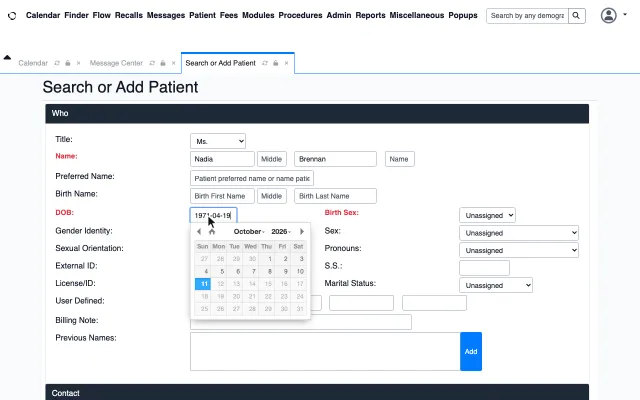
- clickTitle
- typeMs.
- clickFirst name
- typeNadia
- clickLast name
- typeBrennan
- 02
It becomes a program
The recording compiles into fixed steps that run once per referral in your list. No AI model decides anything. This OpenEMR referral has 41.
Program mapSee all 29 steps, their checks and where it stops - 03
Every save is checked
After saving, it reads the record back from the system, not the screen. By default a person approves each save.
Chart read back · 12 of 12 match
- Title
- Ms.
- First name
- Nadia
- Last name
- Brennan
- Date of birth
- 1971-04-19
- Sex
- Female
- Street
- 27 WILLOW BEND ROAD
- City
- EXAMPLETON
- State
- MA
- Postal code
- 02139
- Home phone
- 555-0121
- nadia.brennan@example.invalid
- Country
- USA
The program it compiled
One recorded referral became 29 fixed steps that run once per referral, with no AI model calls. Watch four real runs go through it; the fourth stops at a possible duplicate.
- For each referral in the list to Name (loop body: declared loop)
- Name to Date of birth and sex (sequence)
- Date of birth and sex to Address (sequence)
- Address to Phone, email and country (sequence)
- Phone, email and country to Create the chart (sequence)
- Create the chart to For each referral in the list, returns to an earlier step (sequence)
- For each referral in the list to Every referral done (sequence)
- Create the chart to Stop the run (exception: not confirmed)
The map follows the emitted edge targets. It keeps each loop and exception route visible.
Recorded on a test copy of OpenEMR with synthetic patients. The public view of the program: no recorded values.
Every run ends with a signed report you can check
When a run ends, OpenAdapt writes a report of what it did and signs it with a key on the machine that ran it. That signed report is its Seal, and every mark on the Seal is one step or check from the report. Change one byte and the check fails. Real runs on a test copy of OpenEMR with synthetic patients.
The signature comes from the machine that did the work. It shows that the report hasn't changed since the run; it doesn't grade the run.
Watch it catch a bad save on your computer
One command, about a minute. It runs a synthetic clinic app on your computer, makes one entry that saves, then one whose save fails on purpose, and shows you OpenAdapt stopping. No account, and nothing leaves your computer.
uvx --python 3.12 openadapt quickstart --break-itA person answers on the phone
Every save waits for a person by default. Each one arrives on your phone as a card with a picture of exactly what will be saved.
- Swipe right to save, or left to stop. There are 5 seconds to undo.
- A step that can't be undone needs a matching detail and a press-and-hold.
- Once a workflow has proved itself, you can have it ask only about problems.
Recorded 18 Oct 2026 from OpenAdapt Desktop's phone page. The connection to the computer is simulated for this recording; the picture on the card is a real frame from the referral run at the top of this page.
For AI agents
Give your agent a program, not a mouse.
Your agent decides. OpenAdapt does the clicks, the same way every time.
AI agent
Ready
View call
enter_referral(
  fname: "Nadia",
  lname: "Brennan",
  DOB: "1971-04-19",
  …
)
OpenAdapt step 0 of 41
- Screens sent to a model
- 0
- Model cost
- $0.00
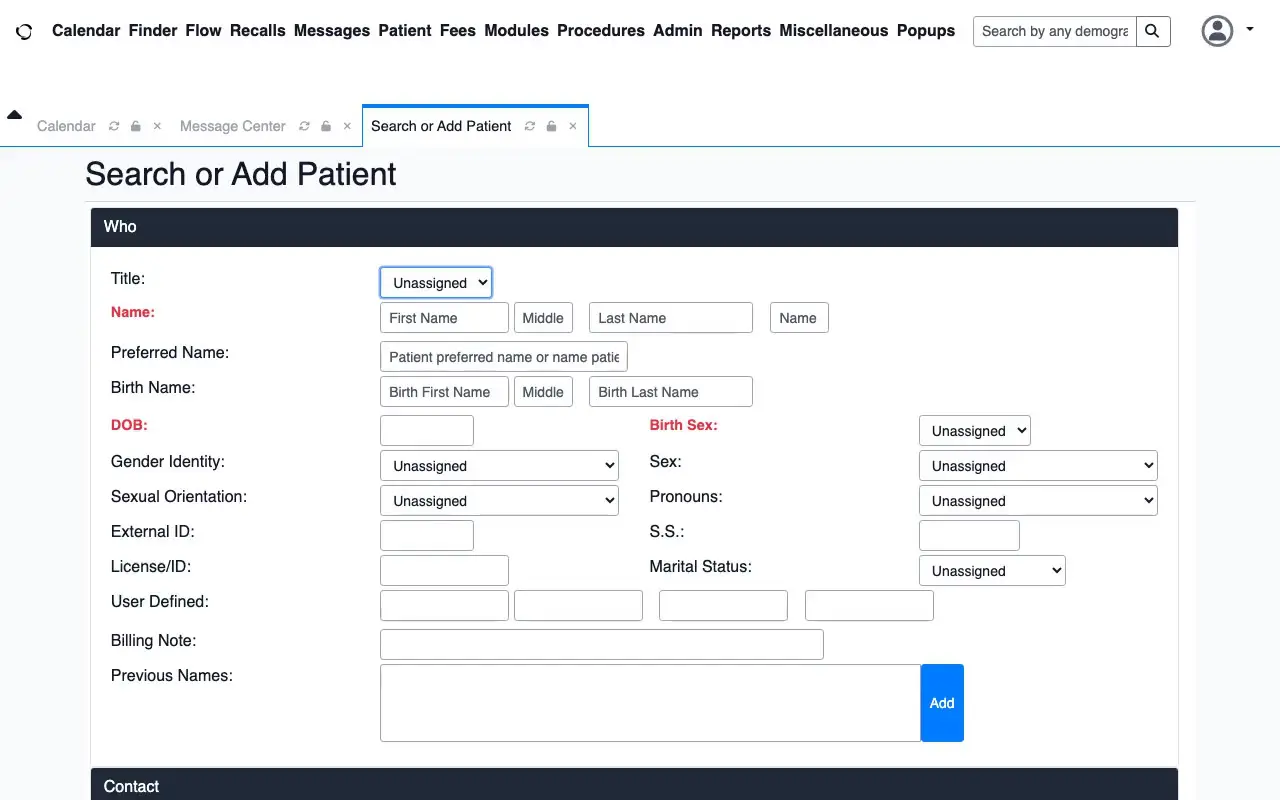
The agent passes the fields and gets back a status. It never sees the screen, and no vision model is called for the clicks.
Sped up, with synthetic patients. Agent + OpenAdapt: one call to the compiled program per referral, $0 and 0 screenshots. Agent alone: Claude Sonnet 5.5’s real runs for the same patients, with each screenshot, click and cost. Both show 7 real runs from 14 Oct, repeated to fill 25.
One referral, three ways.
Same test EMR, same synthetic referrals, 14–15 Oct 2026. Both saved 62 of 63 new-patient referrals correctly. OpenAdapt was about 19% faster (median 29.7 s vs 36.5 s over the 62 correct runs each, sign-in to a saved record read back), cost $0 per entry and sent no screens anywhere.
| Measure | By hand | AI agent | OpenAdapt |
|---|---|---|---|
| Median time per referral | Not timed* | 36.5 s | 29.7 s |
| Correct saves | Not scored | 62 of 63 | 62 of 63 |
| Model fees per referral | None | About $0.08 (median) | $0 |
| Screens sent to a model | None | 10 (median) | None |
| Path | Up to the person | 49 actions (median), varies | Same 41 steps |
*By hand: one baseline run of a test script at a person’s pace (not timed across repeated runs). AI agent: Claude Sonnet 5.5, list price. Times are medians over 62 warm runs each; correct saves count all warm runs, and the two OpenAdapt misses stopped without saving. How we measured
When something doesn’t match, it stops.
The EMR flagged a possible duplicate. OpenAdapt stopped before creating the chart and handed the referral to a person.
There are two kinds of stop; the result says which.
It stops before saving
In our 2026-10-12 claims test, one claim had a mistyped insured number. openIMIS found no member, so the screen no longer matched the demonstration, and the program stopped before saving. No claim was written: Stopped before saving.
It stops after saving started
In our 2026-10-11 referral test, the referral said Rosa Delgado, born 1958-03-22. The EMR's duplicate check found a Rosa Delgado born 1958-03-27. The program stopped before confirming and flagged Check the record for a person. A separate read afterwards found no new chart.
What a stop doesn't do: the claims program stopped because openIMIS found no member, not because it compared the number with the document. If a mistyped number had belonged to another member, the screen would have looked normal, and only a record check or a person would catch it.
How it works, in detail
A person or an AI agent does a data-entry task once. OpenAdapt turns that run into a program that makes the same entry every time with no AI model calls, confirms the right record before each save, reads the record back after it, and stops and asks a person when something doesn't match.
A person or an agent shows the task
A staff member does the task once on a test patient or a test claim, while OpenAdapt records the screen and every click and keystroke. On this site, a test script stood in for that person.
A computer-use agent can show the task instead: OpenAdapt turns the agent's successful run into the same kind of program, so later entries make no model calls. A person accepts the program before it runs. How to set it up.
You can also give it several demonstrations. OpenAdapt compares them to find which values change, which steps repeat and which are optional. If they don't agree on what the task is, it says so and builds nothing. It can also fill a task's inputs from a referral PDF, a fax image or an email.
Who approves each entry
By default, every save waits for a person's approval, on the computer or on a paired phone. Look-ups that save nothing need none.
After a readiness test, if OpenAdapt can read saved records from your system's data, a workflow can ask a person only about problems. Repeated problems switch it back. A person can also sign a grant that lets a named system or agent answer saves; the result says who approved.
How every entry ends
Every entry ends with one plain result. It says "nothing was written" only when the run proves it.
| Result | What it means |
|---|---|
| Done and checked | Saved, then read back from the system's own data, and every field matched. |
| Stopped before saving | It stopped before changing anything and asked a person. Nothing was written, and the run proves it. |
| Check the record | It had started saving, so it can't promise nothing was stored. A person checks the record before anything is tried again. It never retries on its own. |
| Finished, not checked | It did the steps but didn't confirm the saved result. Practice runs and programs with no record check are always labeled this way. |
| Didn't finish | It couldn't complete the task. The result says what is known about whether anything was written. |
It reads the saved record back
After saving, OpenAdapt reads the record back another way, such as a report export, read-only API access or a database read, and compares the fields it typed. That catches a wrong field or record, a missed keystroke, or a step that ran too early. Re-reading the screen it typed on doesn't count: that shows what was typed, not what was stored. A run with no second way to read ends Finished, not checked, and we won't approve such a workflow to save entries on its own.
Why a separate read matters: in our fault test, 72 of 90 runs left the record wrong. A check of the screen's "Saved" message alone passed 54 of those 72. A read over the app's API missed 9; the full database read caught all 72. These were faults we injected on a test system: a coverage test, not a real-world error rate. More in How do you know an automation saved the record?.
It checks it's the right record
Before it types into a chart, it confirms the chart belongs to the right patient, and stops when it isn't sure. In our look-alike test set (same name, same birth date, record numbers like MG4408 and MG44O8), it stopped on 5 of 5 look-alike patients. More on the right-record check.
Its limits: the check covers the steps that carry a patient's identity. On pixel-only screens, such as remote desktop, it stops whenever the right patient's own record number has look-alike characters: 47 to 61 in 100 correct-patient checks on our test corpora (re-measured 17 Oct 2026). A confirmed list of the system's record numbers removes most of those stops. Extra stops, not wrong entries.
When the screen changes, it finds the field or stops
A recorded macro keeps clicking where a field used to be. OpenAdapt finds the field again by the page's structure, its label, its picture or nearby text, or stops. On Frappe Lending, after a cosmetic screen change, 3 of 3 runs found the fields again and were checked. Over remote desktop, 3 of 3 runs on a changed screen stopped. A fix ships as a new, tested version of the program, staged before it's used and possible to roll back.
Where it runs
It runs on a computer or virtual machine you control, signed in to your system. That computer keeps each run's full record. It works in web apps, native Windows and macOS apps, and over remote desktop. Security and the data map.
What your IT team does, once
- Sets up one computer or virtual machine, signed in to the system.
- Installs the open-source engine with us and allows it to control the keyboard and mouse.
- Creates a read-only login, so OpenAdapt can look each saved record up and check it.
What we've tested
Every run below used synthetic records on open-source software or our own test apps. We qualify each workflow on your own system before it touches a real record. All tested runs.
| System | Task | Result | Date |
|---|---|---|---|
| OpenEMR 8.0.0.3, open-source EMR, browser | Register a referred patient, timed against an AI agent | 62 of 63 saved correctly, same as the agent; 9 of 9 possible duplicates created no chart | Oct 2026 |
| MockMed, our synthetic clinic app | Add a note; then the same with the save rejected | Done and checked; with the save rejected, it stopped (Check the record) | Oct 2026 |
| openIMIS 25.10, open-source insurance system, browser | Enter a claim, 150 claims | 148 of 149 saved correctly by read-back; 0 saved wrong without a stop | Oct 2026 |
| openIMIS 25.10, browser | Enter a claim, 6 claims, filmed | 5 saved, 15 of 15 fields read back by our test setup; 1 stopped before saving | Oct 2026 |
| openIMIS 25.10, browser | Eligibility look-ups | 3 of 3 active confirmed; 3 of 3 expired stopped | Jul 2026 |
| Our scheduling app over real remote desktop | Book an appointment | 3 of 3 confirmed; 3 of 3 wrong-patient runs stopped | Jul 2026 |
| Frappe Lending, open source | Loan application after a screen change | 3 of 3 found the fields and were checked | Jul 2026 |
| Our own Windows test app | A form task | 3 of 3 confirmed by a database read | Jul 2026 |
Updated 2026-10-19.
Who it's for
Healthcare and insurance operations
Referral intake, new-patient registration, claims intake and coverage look-ups in systems with no usable API. It runs on a computer you control, signed in to your system, and patient data stays there.
Teams building AI agents
Your agent does the task once; OpenAdapt turns its run into a program and makes the entry from then on, with the right-record check, the read-back and a person's approval.
Start with one workflow your team types every day.
- Local Free, on your own computer
- Team $499 a month
- Enterprise Qualification sprints from $15k
Product updates by email, or ask about a pilot for your team.
Sources
- OpenAdapt quickstart with --break-it (openadapt launcher 1.17.0), MockMed synthetic clinic app, 18 Oct 2026 (the run's reports): the normal entry ended Done and checked by a read of the saved note; with the save rejected on purpose, the screen looked the same as the good save, and the run stopped and reported Check the record without retrying.
- Referral timing run, local OpenEMR 8.0.0.3 test copy, 14 to 15 Oct 2026 (run data): 8 synthetic referrals, OpenAdapt (a program compiled to find each field by the page's structure, 0 model calls) against Claude Sonnet 5.5 (claude-sonnet-5-5) as a computer-use agent in a capped harness, warm starts, interleaved blocks, each chart read back from the database. Blocks 2 to 10, normal referrals saved correctly: 62 runs each; median 29.7 s (OpenAdapt) and 36.5 s (agent); agent median $0.083 a run at list price. Both 62 of 63 normal referrals correct; on the possible duplicate, no new chart in 9 of 9 for both. Block 1 left out (CPU shared with another process); with it (blocks 1 to 10), 69 of 70 correct for both, 29.7 s and 37.6 s (n=69 each). The same task from the 10 Oct recording without the page's structure: 62 of 63, 38.6 s median, slower than the agent.
- OpenAdapt on OpenEMR 8.0.0.3 (open-source EMR), local test copy, 11 Oct 2026. One program ran over 8 synthetic eReferrals in one batch, with 0 AI model calls. 7 new patients were saved; our test setup read each chart back through the OpenEMR API and database, and 12 of 12 fields matched the referral. The 8th (Rosa Delgado, same name as an existing chart, different birth date) stopped at the EMR's duplicate check; afterwards no new chart existed. The engine labels the saved runs "Finished, not checked" (practice profile) and the stop "Check the record".
- OpenAdapt scoreboard, openIMIS 25.10 (open-source insurance system; it runs Nepal's national health insurance scheme), local test copy, Oct 2026 (SCOREBOARD.md): a compiled program, 0 AI model calls, entered 150 synthetic claims. 148 of 149 were saved correctly, checked by reading each claim back; 0 were saved wrong without a stop; the claim with an injected screen change stopped.
- OpenAdapt on openIMIS 25.10 (open-source insurance system), local test copy, 12 Oct 2026. A program learned from one demonstration entered 6 synthetic health-facility claims in one batch, with 0 AI model calls. 5 were saved; our test setup read each back through SQL and the openIMIS API, and 15 of 15 fields matched the claim document. On the 6th, the insured number had two digits swapped: openIMIS found no member, the screen no longer matched the demonstration, and the program stopped before saving (no claim was written). The engine labels the 5 saved runs "Finished, not checked", because this program has no record check of its own yet.
- OpenAdapt on openIMIS 25.10 (open-source insurance system, not a US payer portal), July 2026, synthetic members: 3 of 3 active policies confirmed, 3 of 3 expired policies stopped, 0 active policies stopped by mistake. Checked by a read-only database query of the policy, product and dates.
- OpenAdapt remote-desktop test, 30 Jul 2026: a fictional clinic scheduling app over a real remote-desktop connection (FreeRDP, not Citrix), synthetic patients. 3 of 3 bookings confirmed by a read-only database query; 3 of 3 wrong-patient runs stopped with 0 rows written; 3 of 3 runs on a changed screen stopped. 0 AI model calls.
- OpenAdapt look-alike test set (synthetic rows), 2026: 5 of 5 look-alike patients stopped; of the 2 control cases, the right patient was let through and a plainly different patient was stopped. On pixel-only screens the check stops whenever the right patient's own record number has look-alike characters (O and 0, l and 1); on our test corpora that was 47 to 61 in 100 correct-patient checks, re-measured 17 Oct 2026 (IDENTITY_EVIDENCE.md). With a confirmed list of the system's record numbers (openadapt-flow 2.2.0), those stops on a rendered record list fell from 176 to 3 in 280 clicks whose neighboring row wasn't a look-alike twin (KNOWN_IDS.md).
- OpenAdapt on Frappe Lending 16.2.0 (open source), 16 Jul 2026, synthetic applicants: 6 of 6 loan applications checked through the API, a database read and a table-change audit (3 normal runs, 3 after a cosmetic screen change); 5 of 5 injected faults stopped before saving.
- OpenAdapt on our own Windows test app (UI Automation), 17 Jul 2026: 3 of 3 runs with saves confirmed by a database read; missing and ambiguous targets refused 3 of 3.
- OpenAdapt fault test, openadapt-flow benchmark/effect_e2e, 2026: faults injected into our own engine on a test record system, 90 runs; 72 left the record wrong. A check of the screen alone passed 54 of those 72; a read-back over the app's REST API passed 9 of them; the full database read caught all 72. A coverage test over a fixed fault list, not a real-world error rate.